
Article Contents
Power Cycling your LG Chem Battery
Reposit Users
For homes that have a Reposit Power system, follow this step first. If not, proceed with turning OFF your inverter.
Step 1: Opening your Reposit
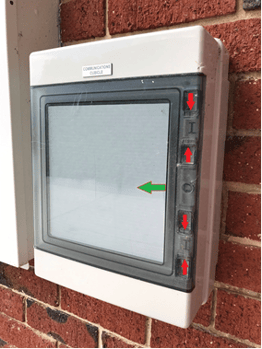
- Squeeze on the two clamps on the right side of the box and pull open the front panel.
Step 2: Switch off the system
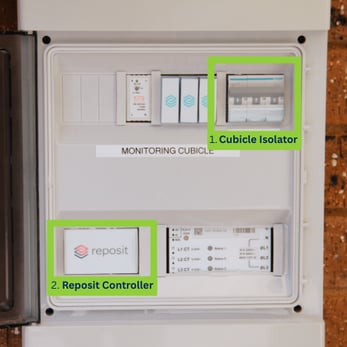
- Flick the cubicle isolator switch to the OFF position (1).
- Once you have completed this step, continue with the rest of the inverter and battery power cycling before completing step 3. Turning back on your Reposit will be the last step.
 |
|
Turning OFF your Inverter
Directions for system shutdown can also be found on the front of your inverter.
|
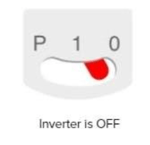
Step 1: Turn OFF the Inverter’s Toggle Switch
|
 |
Step 2: Turn OFF the Inverter’s AC
- Locate your AC isolator switch. Depending on the model of inverter, your AC isolator switch is most commonly adjacent to your inverter.
- Move the switch into the ‘OFF’ position.
- If your inverter is within 3m of your main switchboard, your inverter won’t have an AC isolator switch. To turn off the AC, go to the main switchboard, and turn off the ‘main switch inverter supply’. This switch should be clearly labelled alongside the rest of your home’s power supply switches.
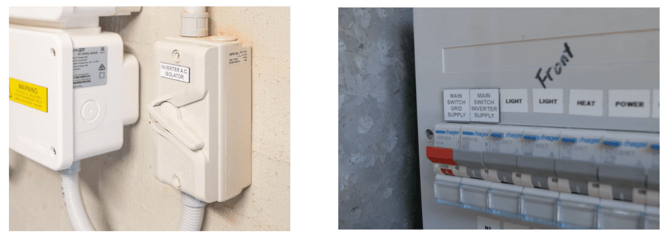
Step 3: Turn OFF the Inverter’s DC
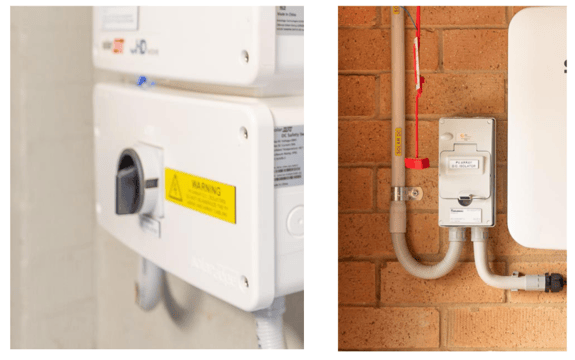
- Your inverter’s DC isolator switch is located on the front of your inverter. The DC isolator switch is incorporated with the HD wave inverter design. For other models of the SolarEdge inverter, it will be located adjacent to your inverter.
- Turn your switch to the ‘OFF’ position. This step may be a bit tricky as the switch may show resistance and require more force to turn off. Keep turning until it clicks.
Power Cycling your LG Chem Battery
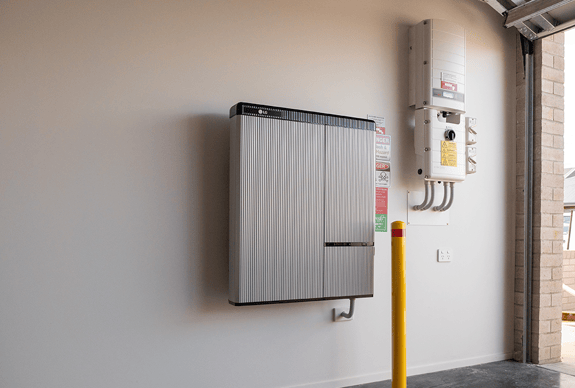
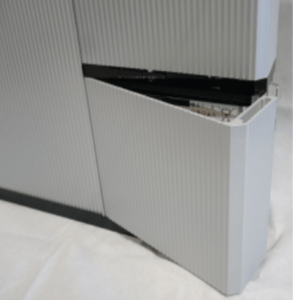
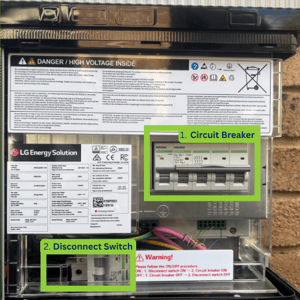
- Locate the wiring box at the bottom right of the battery and open it by detaching the latches at the back.
- Turn OFF the Battery Circuit Breaker (1) followed by the Disconnect Switch (2).
- Wait for at least 5 minutes before turning your battery back on. This will give the system time to reset.
- Turn ON the switches in the reverse order: Disconnect Switch then Circuit Breaker.
 |
|
Turning ON your Inverter
Follow all the previous inverter steps in reverse order. Ensure that your battery has been turned back on before continuing.
Step 1: Turn ON the Inverter’s DC
- Turn your switch to the ‘ON’ position.
Step 2: Turn ON the Inverter’s AC
- Move the switch into the ‘ON’ position.
- If no AC isolator switch is present, turn on the ‘main switch inverter supply’.
|
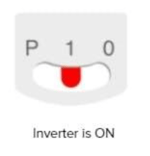
Step 3: Turn ON the Inverter’s Toggle Switch
|
 |
Step 4: Turn back ON Reposit (IF APPLICABLE)
- Flick the same switch back ON.
- When rebooting, the LED located on the Reposit Controller (2) will first be red and it last for 1-2 minutes normally. Then the red LED will go off. A blue-ish white light will be on in a few seconds after that.
- When the Reposit controller is operating, the LED will be blue-ish white.
- If the red light stays on for a long time, that means the Reposit controller might be in faulty mode. Try rebooting it. If the red light doesn't turn blue-ish white after rebooting, the Reposit controller could be faulty then.
If you encounter any further issues during this process, please refer to the SolarEdge support page or raise a support ticket with SolarHub’s Support and Service Team for further assistance.